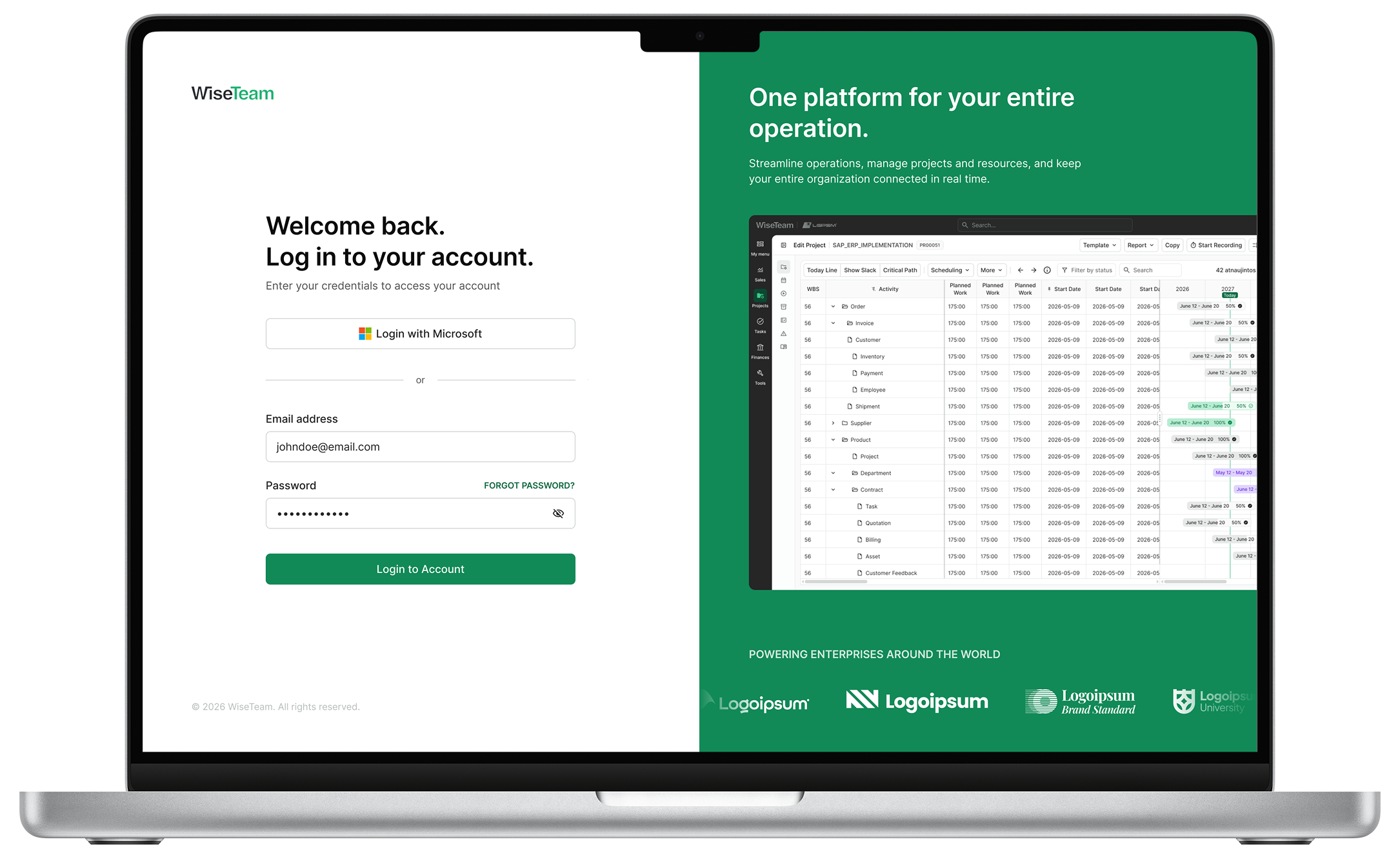
Wiseteam
Enterprise Resource Management Platform
Designing a scalable enterprise platform for projects, resources, sales, and time management
Project Overview
Industry: Enterprise SaaS / ERP
Platform: Web-based work management platform
Scope: Product (UX/UI) redesign of an established enterprise product
Role: Product Designer
Team: Product stakeholders, Business Analysts
Problem
The platform supported a broad set of business-critical workflows, including project management, resource planning, task management, sales, time tracking, finances, and administration.
Over time, these capabilities had grown into a fragmented interface with dense screens, inconsistent patterns, legacy interactions, and limited visual hierarchy. Users often needed to process large amounts of information while moving between highly interconnected areas of the system.
The challenge was not simply to make the product look more modern. The redesign needed to make a complex operational system easier to understand and navigate without removing the depth, flexibility, or information density experienced users relied on.
The goal was to establish a coherent UX and UI foundation that could scale across the wider product.
Users
The platform supports several professional roles, often working with the same underlying data from different perspectives.
Project & Operations Managers
- create and manage projects
- plan schedules, workloads, budgets, and resources
- monitor progress and deadlines
- manage dependencies and project risks
- review project performance
Team Members
- manage assigned tasks
- record and review working time
- follow schedules and deadlines
- collaborate through notes, attachments, and task information
Sales Teams
- manage opportunities through the sales pipeline
- track deal value and progress
- create follow-up tasks
- connect accounts, opportunities, and projects
Finance & Administrative Users
- manage users, permissions, and organizational data
- work with financial and project information
- maintain system configuration and supporting workflows
The product therefore needed to support very different workflows while still feeling like one connected system.
Constraints & Strategic Decisions
This was a redesign of an established enterprise product rather than a greenfield application.
Existing workflows, terminology, data relationships, and business logic needed to remain recognizable. Many users were already familiar with the product, so radically restructuring workflows could create more friction than value.
The design strategy focused on improving the experience around the existing functionality rather than replacing it unnecessarily.
Preserving density while improving clarity
Many screens contained large amounts of operational information. Removing that information in the name of simplicity would have reduced productivity.
Instead, I focused on:
- stronger information hierarchy
- clearer grouping and sectioning
- predictable alignment
- consistent interaction patterns
- improved spacing and readability
- progressive disclosure of secondary controls
- more purposeful use of color
- clearer distinction between actions, status, and information
The objective was to reduce perceived complexity, not functionality.
My Role
I worked across the product redesign from UX structure through high-fidelity UI and reusable system components.
My responsibilities included:
- auditing existing interfaces and workflows
- defining the visual and interaction direction
- restructuring complex forms and navigation
- redesigning dense tables and data views
- designing project, task, sales, and time-management workflows
- creating Gantt, Kanban, pipeline, and calendar interfaces
- defining interaction states and responsive behavior
- building a reusable Figma component library
- maintaining consistency across screens
- preparing designs for development handoff
A significant part of the work involved identifying repeated patterns and solving them once at system level rather than redesigning them independently on every screen.
UX Strategy
The central UX challenge was helping users navigate complexity without slowing down experienced users.
I structured the redesign around three levels of hierarchy.
Application level
Primary navigation separates major product areas such as:
- Sales
- Projects
- Tasks
- Finances
- Tools
Secondary navigation exposes module-specific functionality while allowing users to remain within their current context.
Screen level
Toolbars, filters, navigation, actions, and data were reorganized so their purpose and hierarchy were immediately clearer.
Primary actions remain visible, while lower-frequency functionality is placed in contextual menus, collapsible sections, or secondary controls.
Component level
Repeated interactions follow the same behavioral and visual conventions across the product.
This applies to:
- forms
- tables
- dropdowns
- filters
- tabs
- status indicators
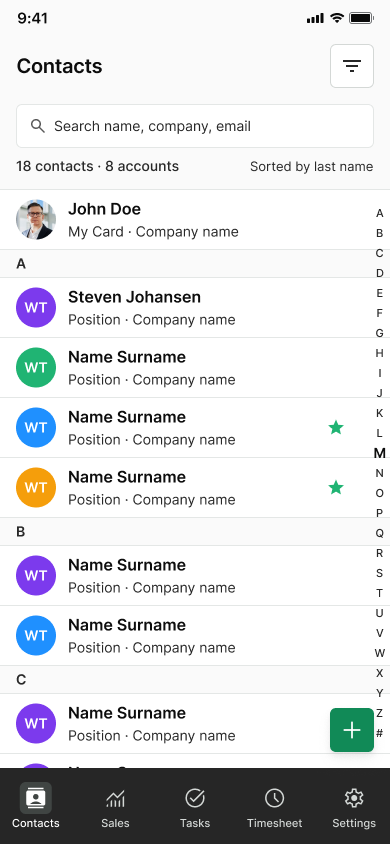
- navigation
- cards
- dialogs
- sidebars
- scheduling controls
Key UX principles
- preserve useful information density
- prioritize scanability over visual minimalism
- keep frequent actions close to the relevant data
- use progressive disclosure for secondary complexity
- avoid unnecessary context switching
- maintain predictable behavior across modules
- design reusable patterns rather than isolated screens
Complex Forms & Information Architecture
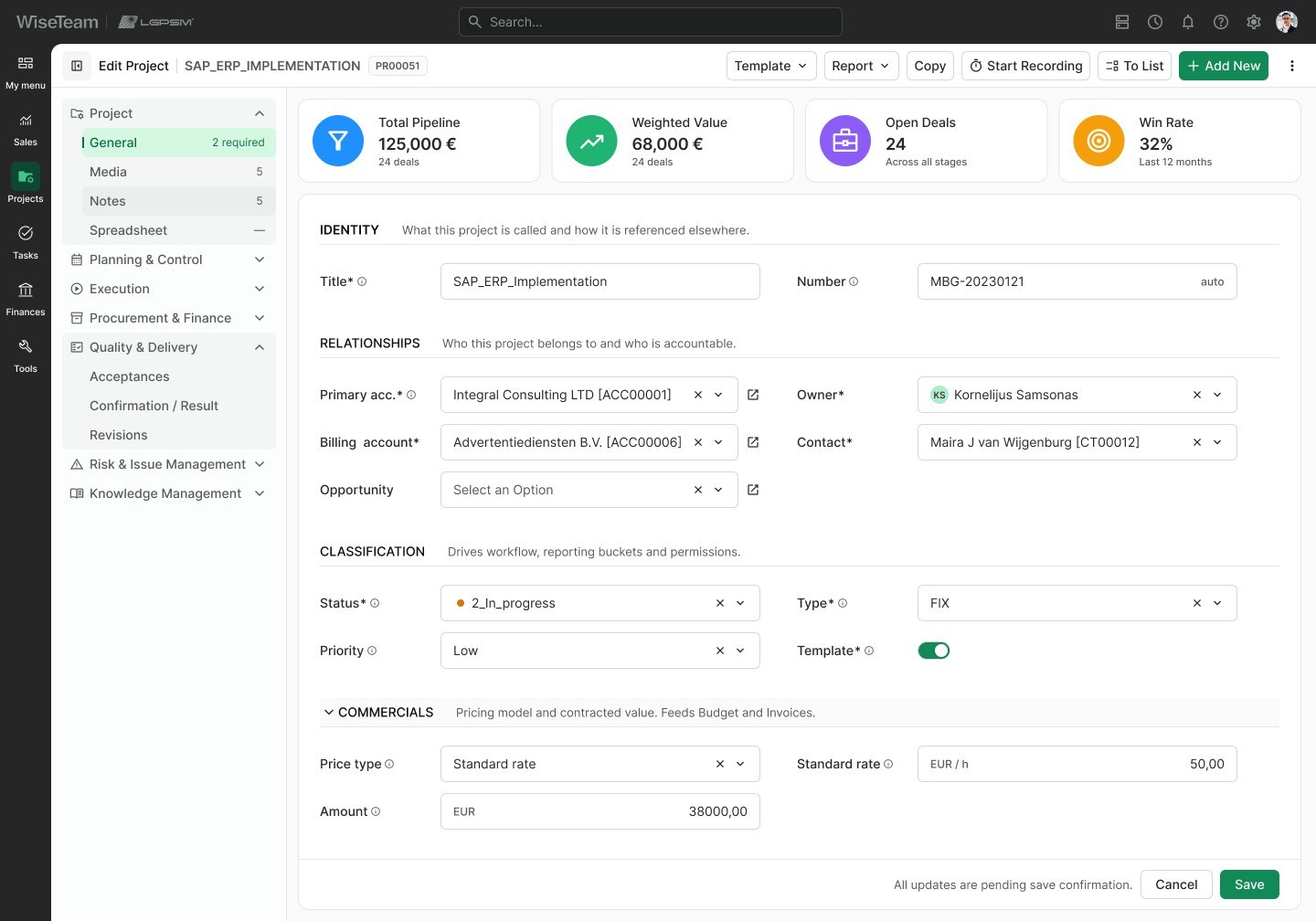
Project and task forms contained a large number of fields covering identity, relationships, commercial information, planning, participation, scheduling, and configuration.
The legacy experience presented many of these fields as long, relatively undifferentiated forms.
I reorganized them into semantic sections such as:
- Identity
- Relationships
- Classification
- Commercials
- Task Details
- Work & Schedule
- People & Participation
- Scheduling Options
- Additional settings
Primary information remains immediately accessible, while secondary sections can be collapsed where appropriate.
This makes long forms easier to scan and helps users understand the relationship between fields without reducing functionality.
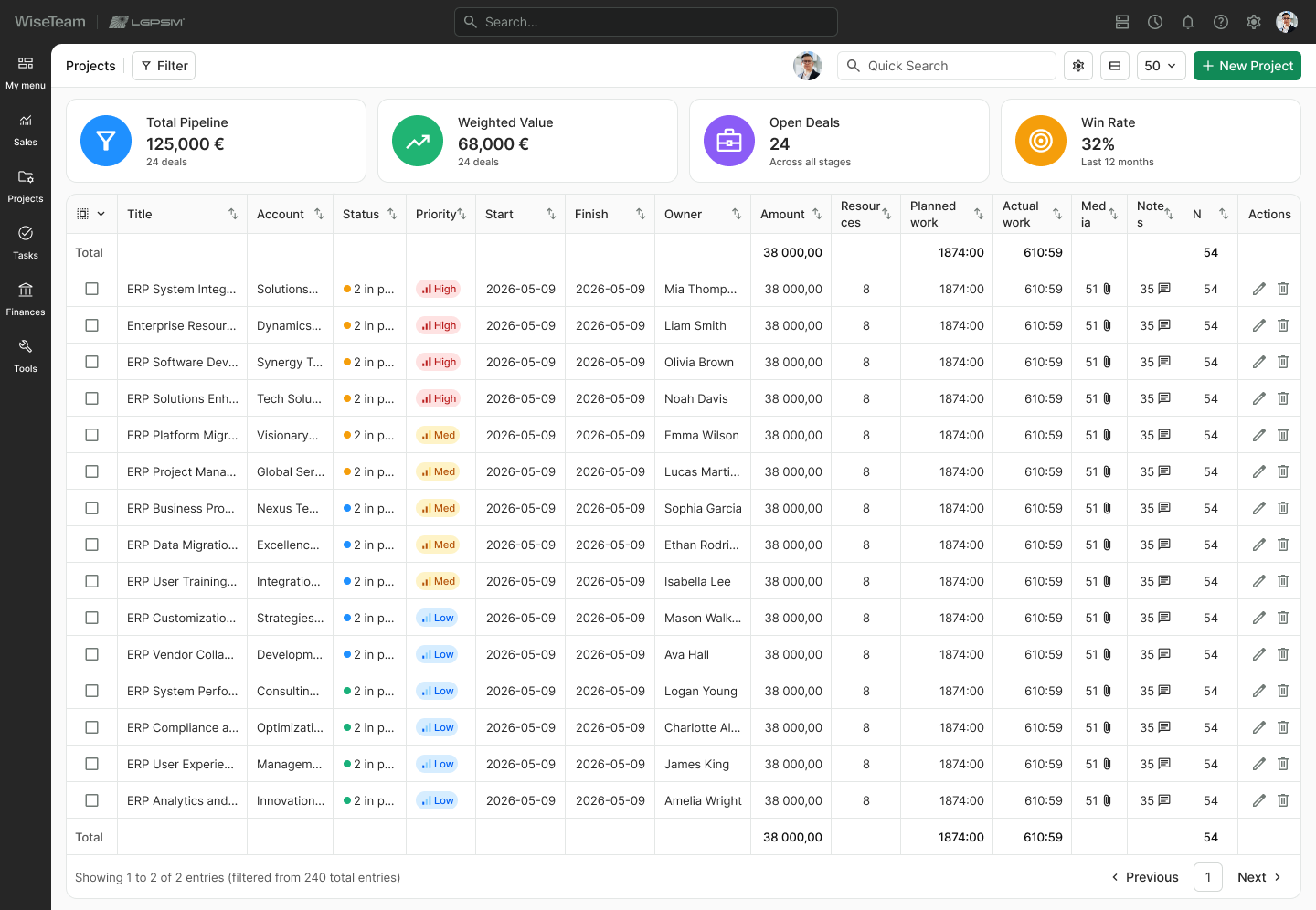
Data Tables
Project management relies heavily on dense tables containing information such as:
- project and account names
- status and priority
- start and finish dates
- ownership
- financial values
- resources
- planned and actual work
- attachments
- notes
- actions
The redesign introduced clearer conventions for displaying and interacting with this information.
These included:
- alignment based on data type
- compact but readable row heights
- consistent cell padding
- clearer status and priority treatments
- truncation for long values
- dedicated action columns
- reusable sorting and pinning behavior
- clearer totals and pagination
- stronger distinction between interactive and read-only information
The goal was not to make tables visually sparse, but to make large datasets faster to scan, compare, and operate.
Kanban & Workflow Design
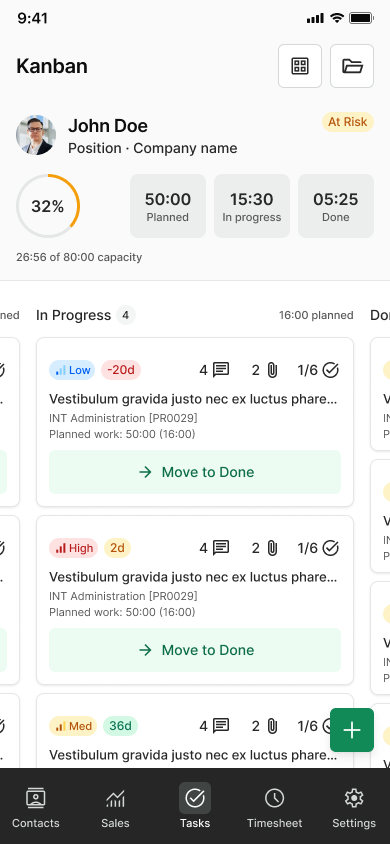
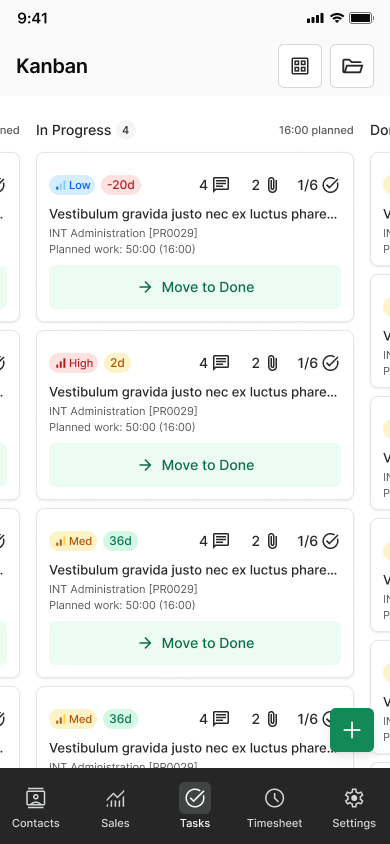
Kanban patterns were required across several areas of the platform, including project management, task management, and sales.
Rather than designing each board independently, I developed a shared interaction language and adapted the information hierarchy to each context.
Project and Task Kanban
Cards surface information such as:
- status
- dates
- assignee
- planned or remaining work
- notes and attachments
- time-recording actions
- contextual task actions
Project-level summaries provide additional information about planned work, work in progress, completion, and schedule performance.
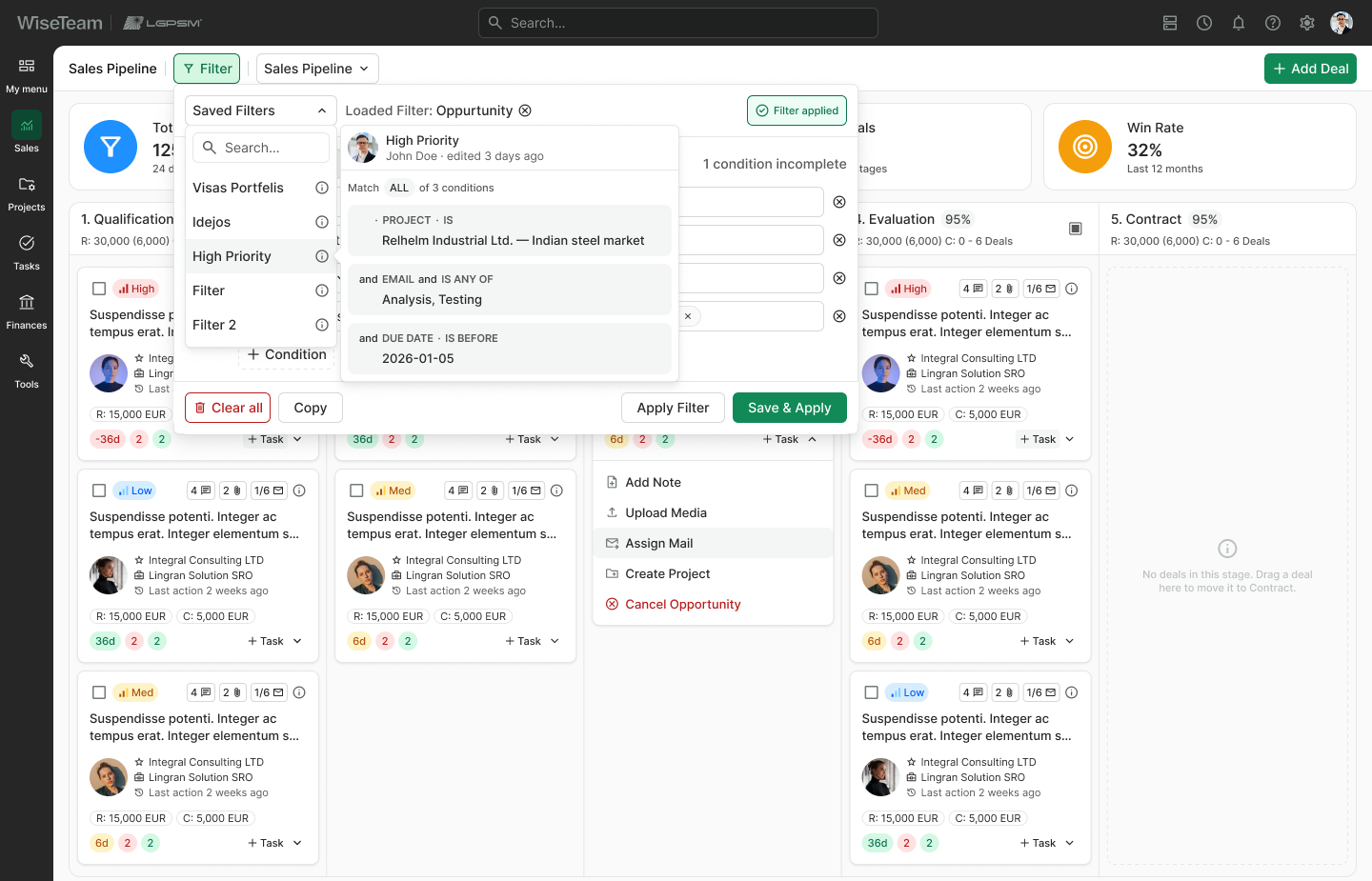
Sales Pipeline
Sales cards prioritize different information:
- opportunity title
- primary and related accounts
- deal value
- activity history
- related tasks and attachments
- pipeline stage
Pipeline-level metrics provide visibility into total pipeline value, weighted value, open deals, and win rate.
The visual structure remains consistent while the information hierarchy changes according to the workflow.
Scheduling, Gantt & Time Management
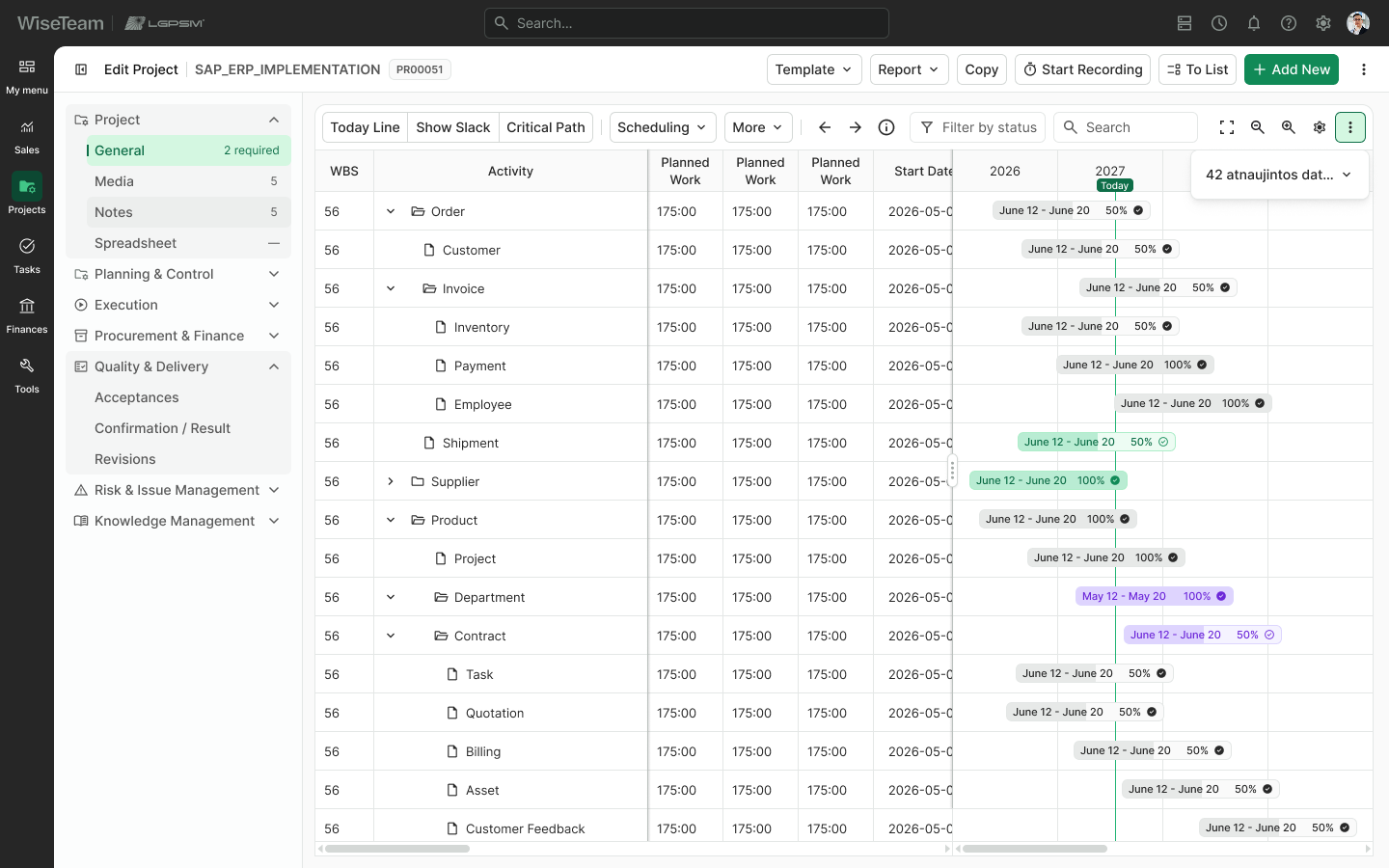
Scheduling was one of the most information-dense parts of the platform.
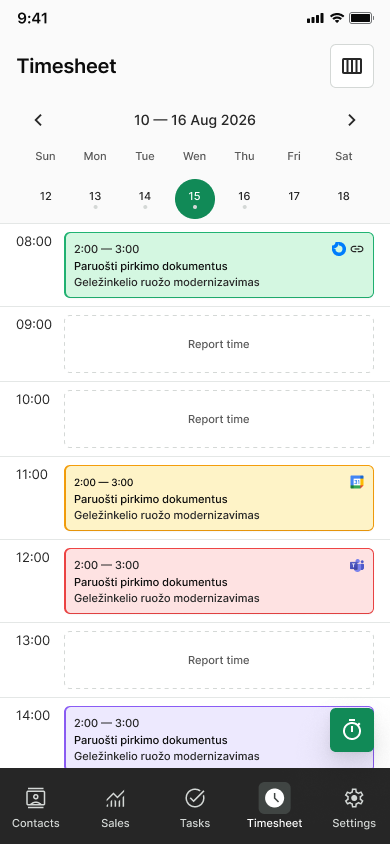
The redesign covered workflows including:
- Gantt planning
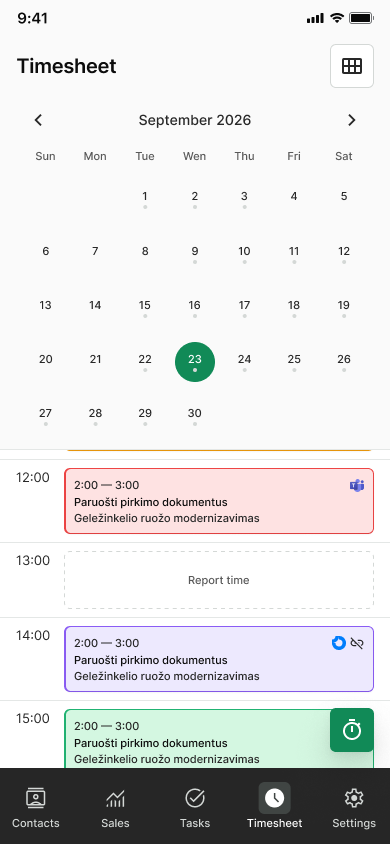
- timesheets
- resource selection
- calendar navigation
- work-week controls
- task and activity filtering
- time recording
- project scheduling
The Gantt interface combines a structured project table with an independently scrollable timeline while maintaining synchronized vertical navigation.
Resizable and collapsible panels help users control how much space is allocated to supporting information versus the working area.
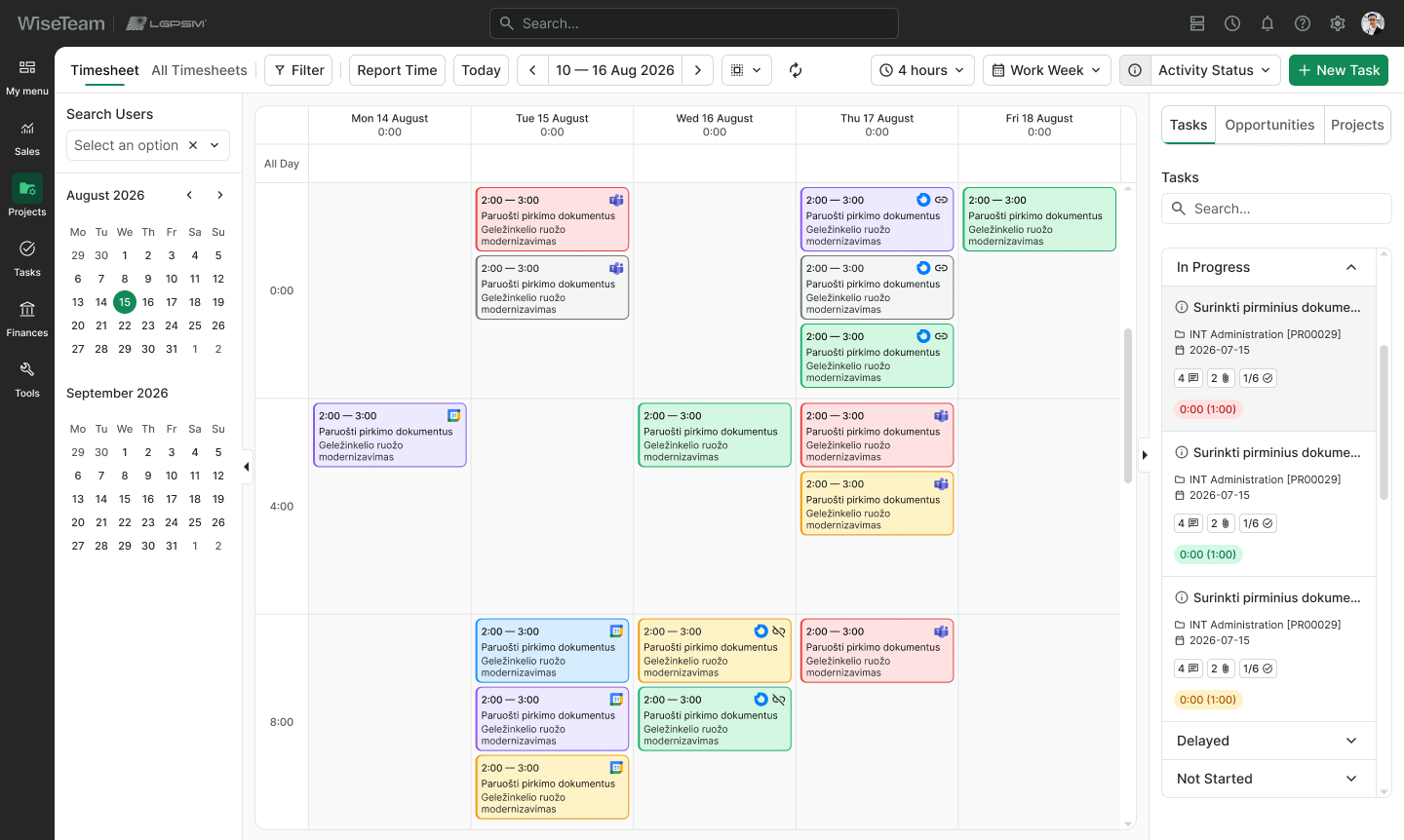
The Timesheet view combines:
- user selection
- date navigation
- calendar-based time entries
- activity statuses
- task and project panels
This allows users to work with time, resources, and tasks without repeatedly leaving the current context.
Navigation & Contextual Panels
Several workflows required secondary navigation or contextual panels alongside the primary workspace.
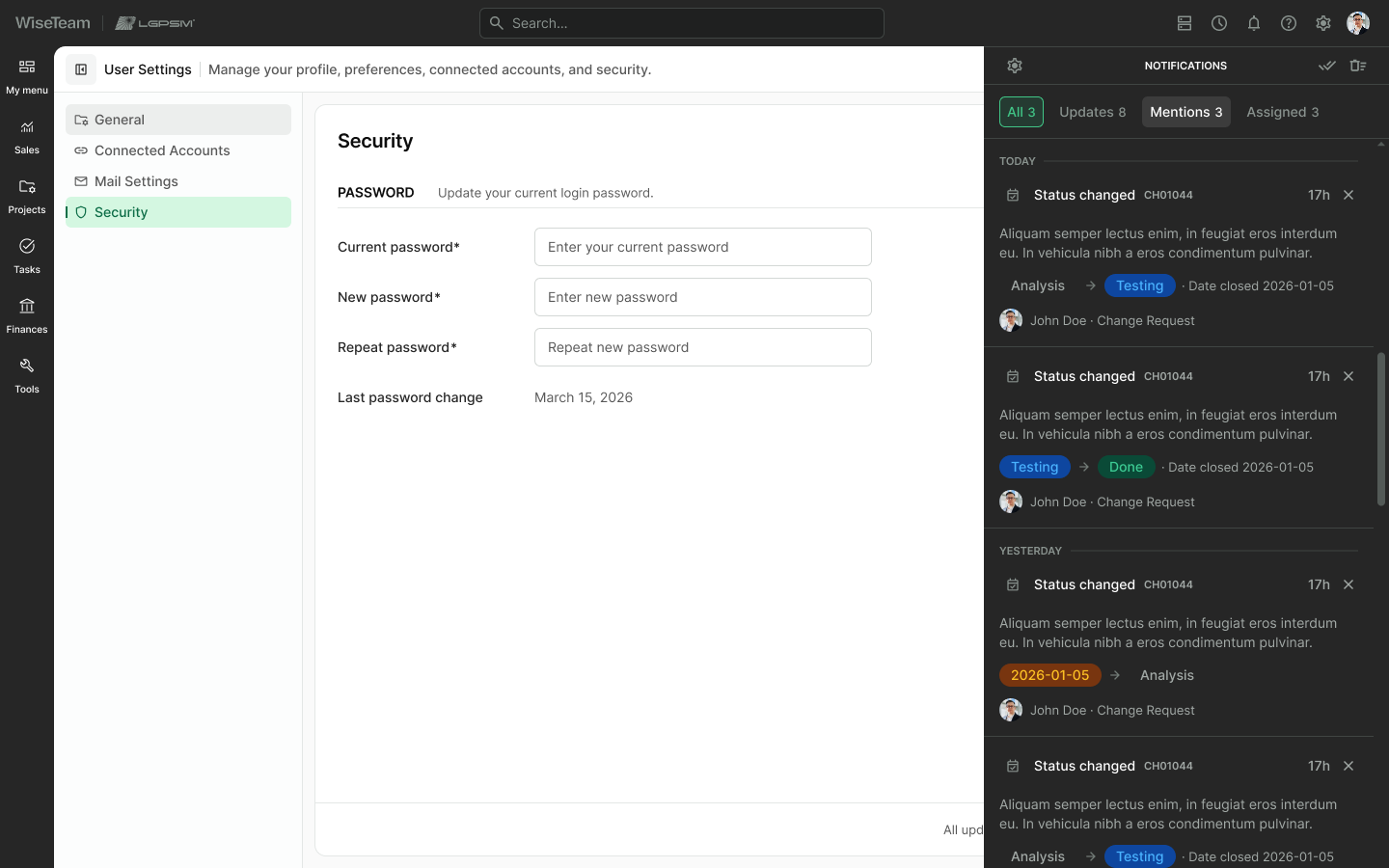
I introduced collapsible and resizable sidebars so users could control information density based on their current task.
For example:
- project navigation can remain visible while editing project information
- user selection can stay available alongside Timesheets
- task or project panels can remain visible beside a calendar
- supporting panels can be collapsed when additional working space is needed
Independent controls allow each panel to be opened or closed without affecting the rest of the layout.
This is particularly important in data-heavy workflows where screen space is valuable.
UI Design & Design System
The interface was built around a reusable component system rather than a collection of individually styled screens.
The Figma library includes patterns for:
- buttons
- input fields
- selects
- toggles
- tabs
- menus
- dropdowns
- filters
- tables
- status labels
- icons
- navigation
- sidebars
- dialogs
- Kanban cards
- Gantt elements
- Sales Pipeline components
- Timesheet components
Where appropriate, components include states such as:
- default
- hover
- focus
- active
- selected
- disabled
- expanded
- collapsed
Building screens from reusable components improved consistency and reduced the amount of one-off design work required as the project expanded.
It also created a clearer contract between design and development.
Visual Direction
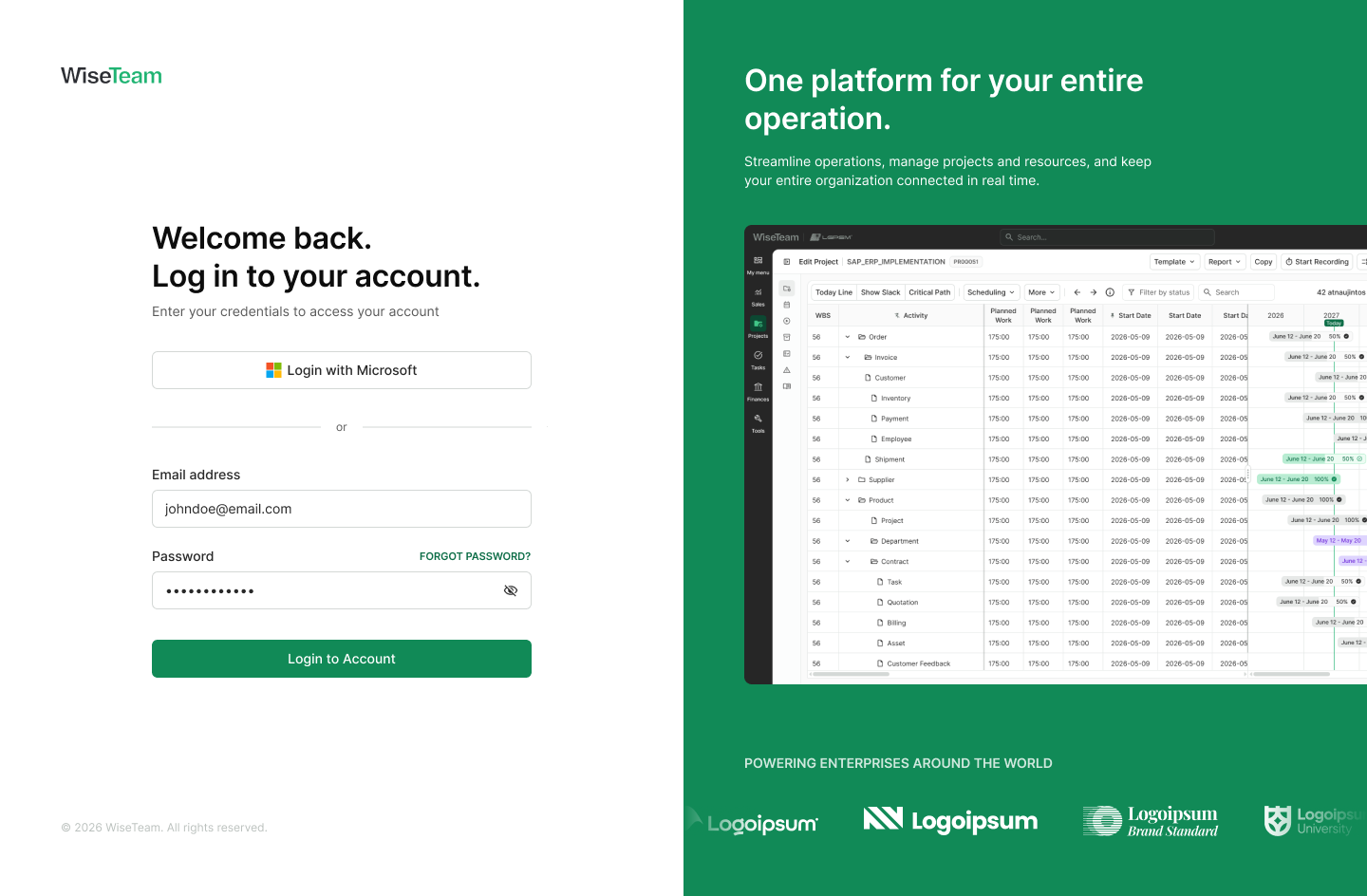
The interface uses neutral surfaces and subtle borders to structure dense information, while color is reserved for meaningful states and actions.
WiseTeam green is primarily used for:
- primary actions
- active states
- positive system feedback
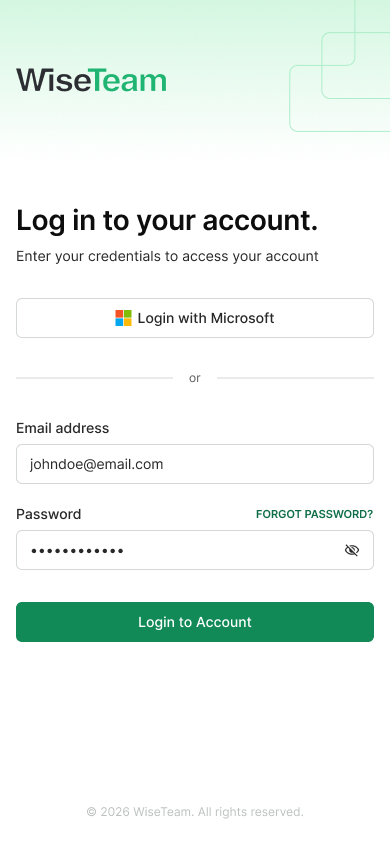
- product identity
Additional semantic colors communicate:
- status
- priority
- progress
- warnings
- errors
- approval states
- workflow categories
This keeps color functional rather than decorative and makes important states easier to recognize across complex screens.
Collaboration & Delivery
The redesign required balancing three perspectives:
- existing product behavior
- business requirements
- technical feasibility
I worked iteratively, using reusable components and high-fidelity screens to communicate both individual interactions and system-level behavior.
Design decisions were evaluated not only for the current screen, but also for how the same pattern would behave elsewhere in the platform.
This helped reduce one-off solutions and created a more consistent foundation for implementation and future development.
Outcome
The redesign established a more coherent UX and UI foundation for a complex enterprise platform while preserving the depth required by experienced users.
Key improvements included:
- clearer navigation across interconnected modules
- stronger hierarchy in complex project and task forms
- improved readability of dense data tables
- more consistent interaction patterns
- clearer project and task Kanban workflows
- a more structured Sales Pipeline
- improved Gantt and scheduling experiences
- more usable Timesheet and time-management workflows
- reusable UI components supporting future development
- a more contemporary and consistent visual language
The result is not simply a collection of redesigned screens, but a scalable product system that can support the continued evolution of the platform.
Learnings
This project reinforced that simplifying enterprise software does not necessarily mean reducing information.
For experienced users, information density can be valuable. The more important challenge is making that density structured, predictable, and easy to scan.
It also reinforced the value of systems thinking in large products.
By solving recurring problems through reusable patterns for navigation, forms, tables, Kanban boards, scheduling, filters, and application states, improvements to individual screens also strengthened the wider product.
The result is a design approach that balances complexity with clarity, consistency with flexibility, and modernization with continuity.