Timespex
All-in-One Service Appointment App
Designing a multi-sided mobile app for service booking, business operations, and customer engagement
Project Overview
Industry: Service marketplace / SMB tools
Platform: Mobile app
Timeline: 6-month MVP
Role: UI/UX Designer
Team: Product Owner, Front-end Developer, Back-end Developer
Problem
Small to medium-sized service businesses often rely on separate tools to manage bookings, services, schedules, promotions, and customer communication. This creates extra administrative work, reduces operational visibility, and leads to a fragmented customer experience.
The goal was to design a single mobile platform that supports three key user groups:
- service providers managing their business
- partners collaborating or selling services
- customers searching, booking, and engaging with services
The core challenge was balancing business-side complexity with a simple, intuitive mobile experience.
Users
Service Providers
Business users needed to:
- create and manage a business page
- list services and service plans
- define work hours and availability
- create special deals and discounts
- oversee employee salaries
- invite partners and customers
Partners
Partners needed to:
- sell services
- manage schedules and work hours
- track lunch breaks and availability
- collaborate with the business
- view partner-related compensation
Customers
Customers needed to:
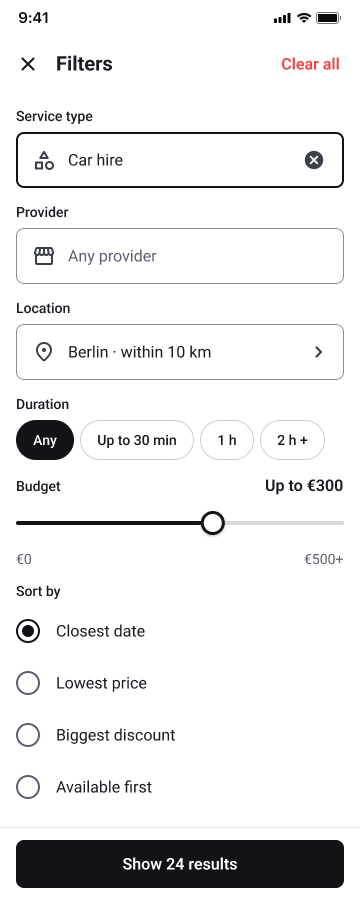
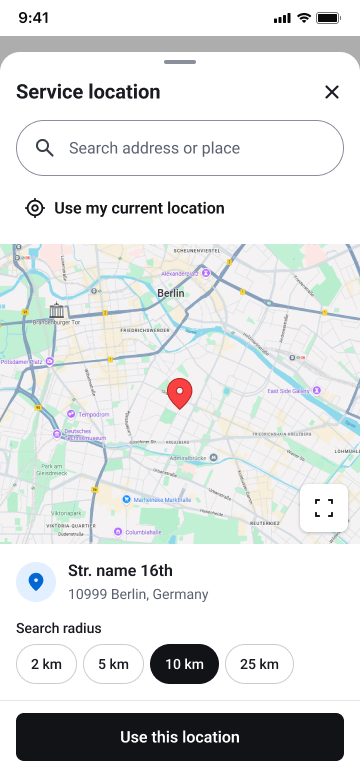
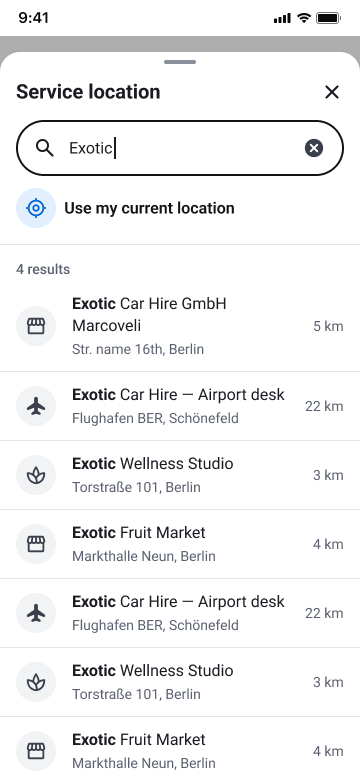
- search and filter businesses and services
- purchase services or service plans
- check schedules and availability
- access discounts and special offers
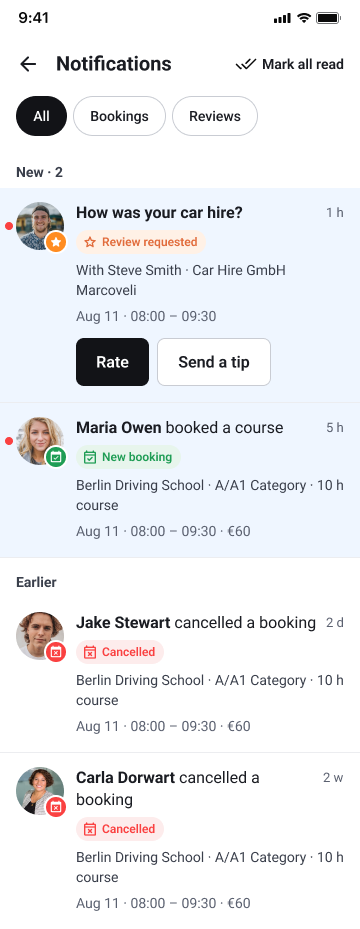
- receive notifications and invitations
- leave reviews and tips
Because these groups had different goals and permissions, the platform required clear role-based UX and carefully structured mobile workflows.
My Role
As the UI/UX Designer, I designed the experience across provider, partner, and customer journeys. My responsibilities included:
- defining information architecture across user roles
- designing booking, management, and availability flows
- creating wireframes and final mobile UI
- structuring dashboards and operational views
- simplifying complex business features for mobile use
- collaborating closely with the product owner and developers during implementation
Research & Design Methods
To shape the product structure and key flows, I used a combination of UX methods focused on role clarity and task efficiency.
Stakeholder and user interviews
I worked with product and business stakeholders to understand operational needs, while also considering the goals of providers, partners, and customers.
Task analysis
I mapped core tasks such as service setup, booking, availability management, and reservation handling to understand where users needed speed, clarity, and control.
User flows
I created role-based flows for customer booking, provider schedule management, and partner interactions to reduce friction and define clear next steps across the app.
These methods helped translate a feature-heavy product into focused, usable experiences for each audience.
Product Challenge
This was more than a booking app. It combined:
- service discovery
- scheduling and booking
- service plan purchases
- staff and partner coordination
- compensation-related management
- customer communication and engagement
The main UX challenge was organizing a wide range of features without making the app feel heavy or difficult to use, especially on mobile.
UX Strategy
The product served users with very different goals, so the experience was structured around role-based navigation and modular workflows.
Key design priorities included:
- clear navigation based on user type
- simple mobile flows for booking and management
- readable schedules, pricing, and service information
- low-friction customer journeys for browsing and purchasing
- scalable structure for more advanced business needs
This helped keep business workflows manageable while preserving a straightforward customer experience.
Core Experience Areas
Business management
Service providers could manage core operations in one place, including:
- business profile creation
- service and service plan setup
- work hours and availability
- promotions and special deals
- employee salary oversight
- partner and customer invitations
A major design priority was making these features feel organized and usable on a smaller screen.
Partner workflows
The app also supported partner collaboration through:
- invitation flows
- availability and work-hour management
- lunch break tracking
- partner salary oversight
- service-selling workflows
These features required clear distinctions between provider and partner responsibilities while maintaining a consistent product experience.
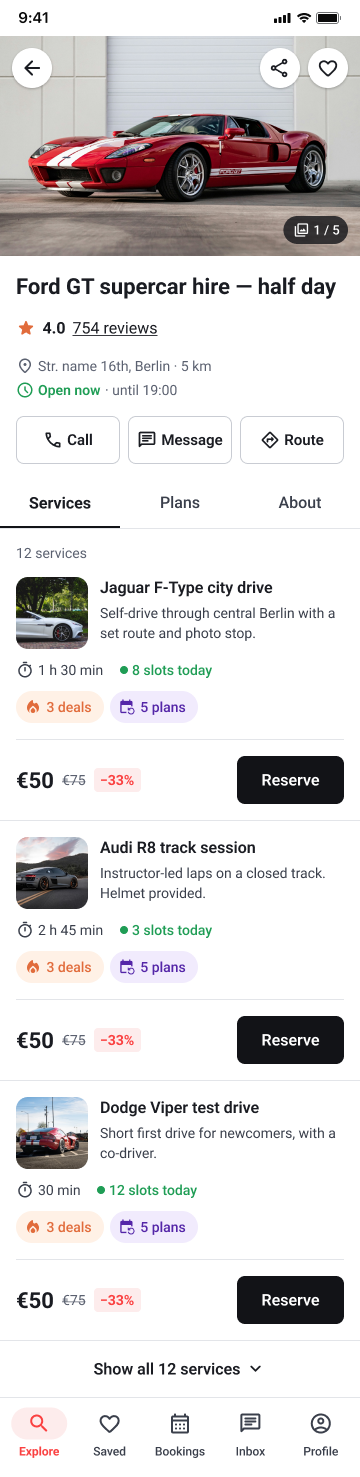
Customer booking experience
On the customer side, the app focused on discovery and purchase.
Customers could:
- search and filter businesses and services
- compare options
- buy individual services or service plans
- view schedules and availability
- access promotions and discounts
- receive notifications and invitations
- leave reviews and tips
The goal was to keep this experience fast, clear, and trustworthy on mobile.
Service availability
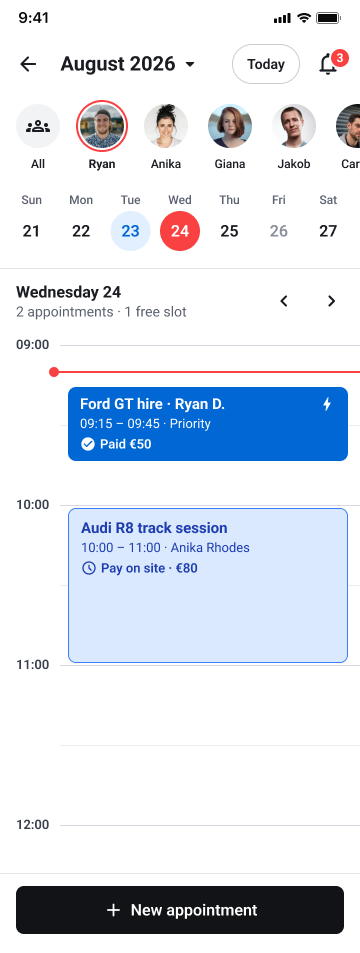
A key provider workflow was managing availability and reviewing reservations through a calendar-based interface. This flow was designed to help providers scan daily schedules quickly, switch dates with minimal effort, and access booking details without losing context.
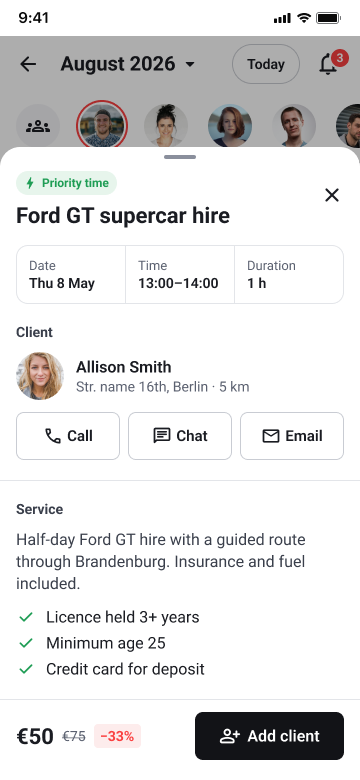
Reservations were displayed directly inside time slots, making duration, pricing, payment status, and customer assignment visible at a glance. A bottom-sheet detail view allowed providers to review booking information and take action, such as contacting the customer or adding a client, without leaving the calendar view.
UI Design
The interface needed to support both operational depth and customer simplicity within a mobile environment.
Design priorities included:
- clear separation between management and customer-facing areas
- readable mobile layouts for schedules, pricing, and services
- intuitive controls for availability and settings
- strong visibility of promotions and booking actions
- consistent patterns across roles and screens
This helped reduce learning effort and made the app easier to navigate despite its complexity.
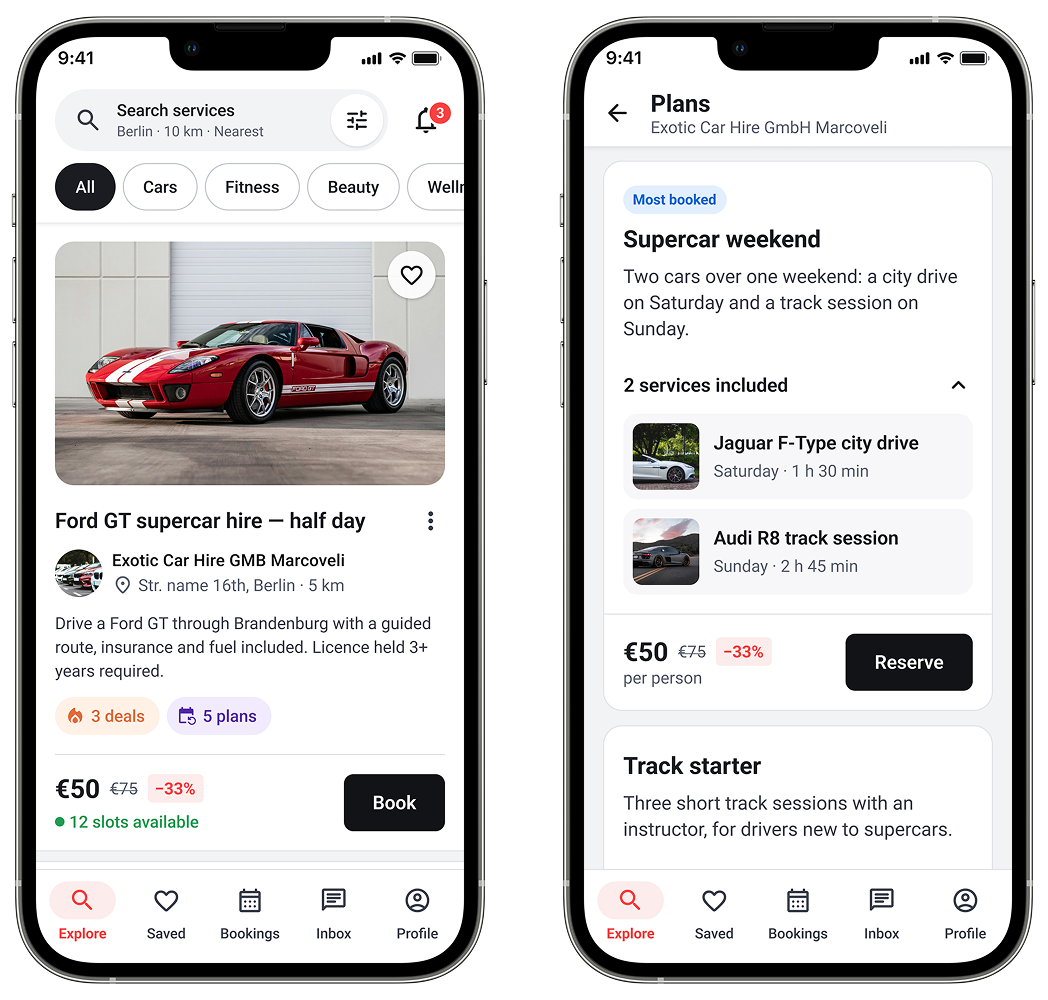
Home feed, service plan and notifications
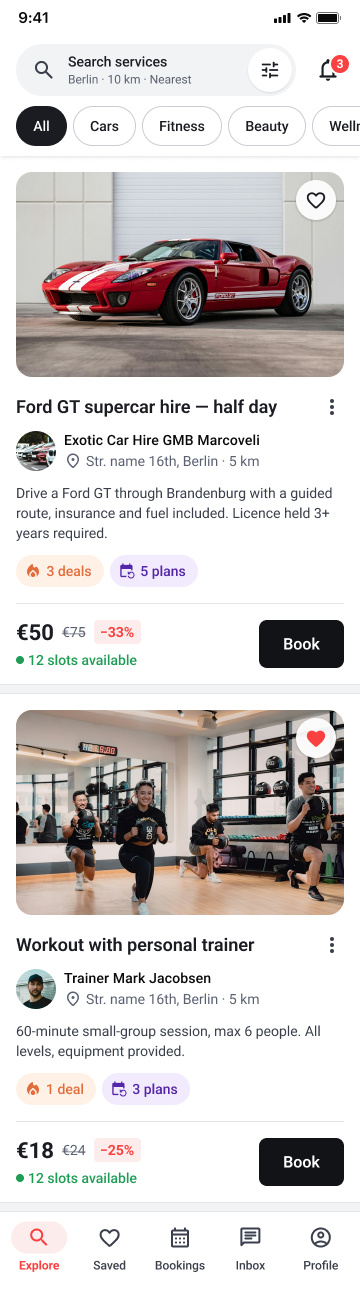
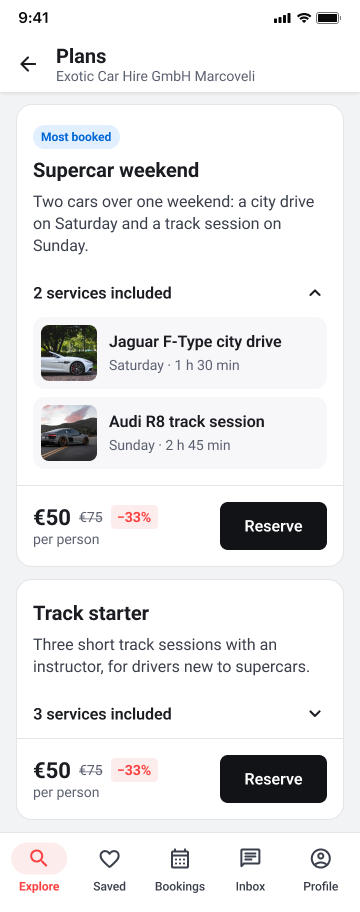
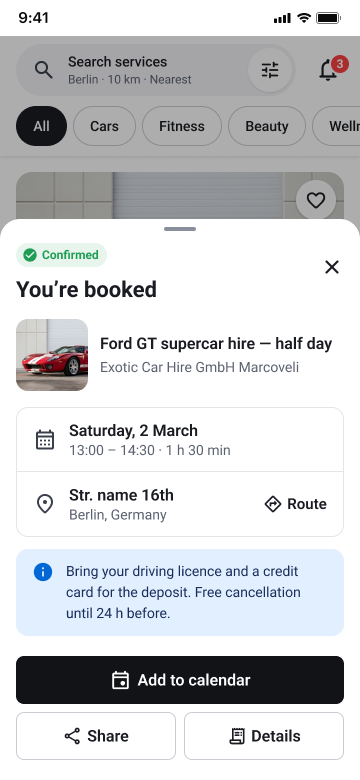
Service search
Service description and reservation calendar

Collaboration
The project was delivered over a 6-month MVP timeline in close collaboration with the product owner and developers.
My work included:
- translating requirements into user flows and interfaces
- aligning design decisions with technical feasibility
- supporting implementation through ongoing design clarification
- maintaining consistency as the product evolved
Outcome
The app brought booking, service management, partner coordination, and customer engagement into one mobile platform for small to medium-sized businesses.
Key outcomes included:
- a more centralized way to manage services, schedules, and offers
- clearer visibility into provider and partner operations
- a smoother customer journey from search to purchase
- stronger engagement through notifications, reviews, and tips
- a scalable foundation for future growth
Learnings
This project strengthened my experience in designing multi-sided mobile products with different user needs, permissions, and workflows. It also reinforced the importance of structuring complex functionality in a way that remains clear and usable on smaller screens.